

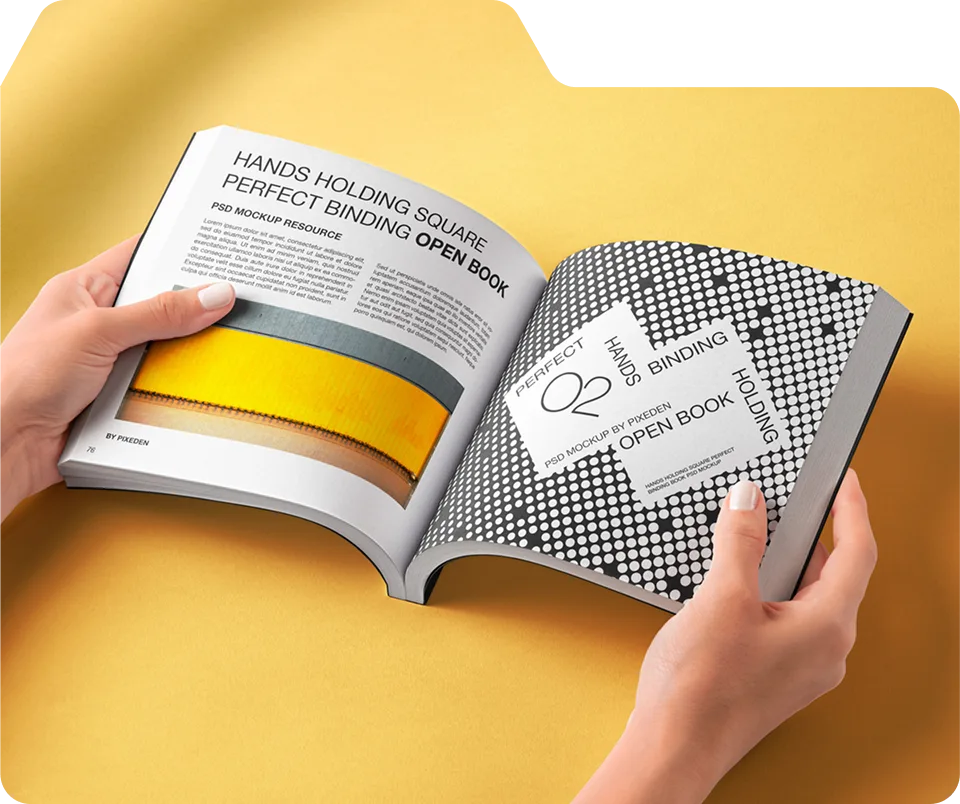
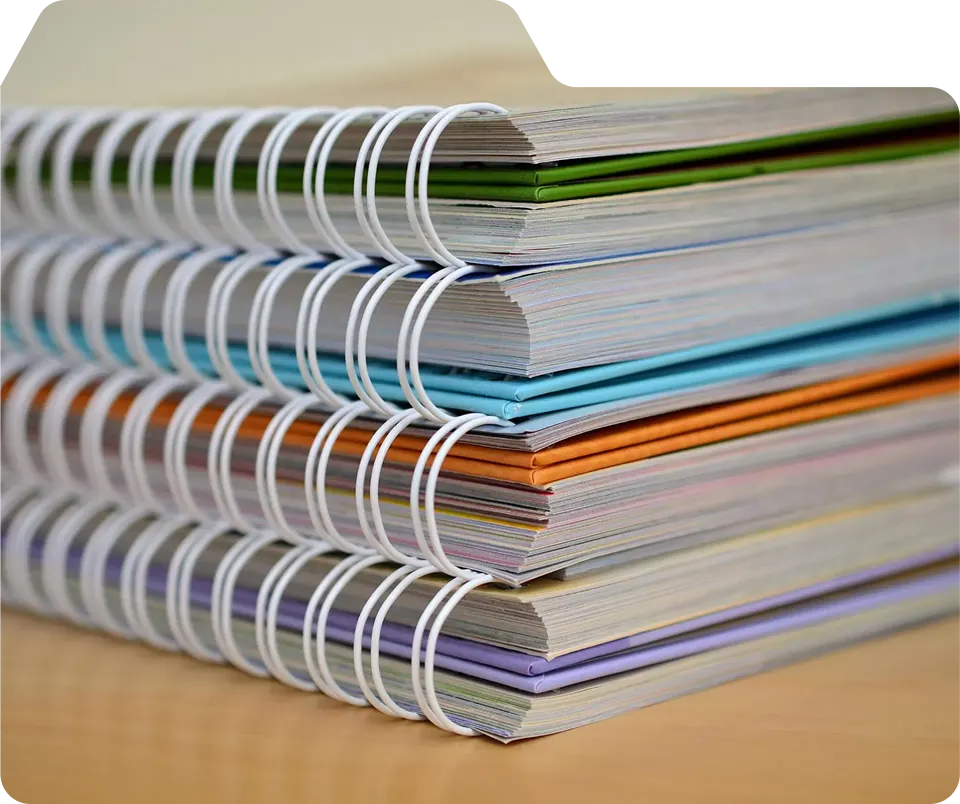
This guide from Unique Print NYC explains layout best practices for booklets, including page organization, visual hierarchy, typography, imagery, and white space. NYC businesses and creatives can use these strategies to make booklets that are professional, clear, and engaging.
Booklet Layout Best Practices for Effective Communication
A well-organized booklet makes information easier to digest, enhances reader engagement, and reinforces your professional brand. Effective layout combines typography, imagery, spacing, and flow to create a polished, functional final product.
At Unique Print NYC, we guide clients through layout planning, ensuring booklets for marketing, events, or corporate use are visually appealing, readable, and effectively communicate the intended message.
1. Establish a Clear Visual Hierarchy
The visual hierarchy ensures that the most important elements capture attention first. This includes headings, subheadings, images, and callout elements.
Key strategies:
- Use consistent heading sizes to differentiate sections.
- Highlight critical points with bold text or accent colors.
- Integrate images or graphics to break up large blocks of text.
Tip: Think of your booklet as a roadmap—readers should know intuitively where to look next.
2. Plan Page Flow and Organization
Logical page flow helps readers understand your message without confusion. Each section should build on the previous, with a clear introduction, main content, and conclusion or call-to-action.
| Page Section | Purpose | Notes |
|---|---|---|
| Introduction | Introduce the topic or product | Keep it brief and engaging |
| Main Content | Detailed explanations, imagery, or charts | Balance text and visuals |
| Call-to-Action | Contact info, quotes, or links | Make prominent and easy to find |
Tip: Group related content together to maintain coherence and make scanning easier.
3. Use Grid Systems for Alignment
Grids ensure consistent alignment of text, images, and design elements. They create a professional look and support readability.
A grid system can help you:
- Align headings and subheadings consistently.
- Maintain uniform spacing between elements.
- Organize complex pages with multiple images and charts.
Tip: Even subtle alignment improves flow and visual balance.
4. Typography Choices Matter
Readable typography improves engagement and conveys professionalism.
- Limit fonts to 2–3 complementary styles.
- Use clear contrast between headings and body text.
- Avoid overly decorative fonts for the main content.
Tip: A consistent typographic style reinforces branding and readability throughout the booklet.
5. Integrate High-Quality Imagery
Images should support content and improve visual engagement, not overwhelm it.
- Ensure all images are high-resolution (300 DPI).
- Align visuals with the corresponding text to maintain context.
- Balance imagery with white space to avoid clutter.
Tip: Infographics and icons can simplify complex information and guide readers.
6. Balance Text and White Space
White space improves readability, focus, and overall aesthetics. A crowded page is difficult to follow and can overwhelm readers.
- Leave consistent margins around text and images.
- Break up long paragraphs with subheadings or callouts.
- Use spacing to separate sections and highlight key points.
Tip: Less can be more—strategically used white space enhances comprehension and visual appeal.
7. Consistent Branding and Design Elements
Consistency strengthens brand recognition and maintains a professional appearance.
- Repeat brand colors, logos, and visual motifs throughout the booklet
- Maintain uniform header, footer, and page number styles.
- Apply the same font hierarchy and spacing rules across all pages.
Tip: Consistency builds trust and reinforces your brand identity.
8. Accessibility and Readability
Booklets should be readable for all audiences, including those with visual challenges.
- Use high contrast between text and background.
- Select legible font sizes for headings and body text.
- Ensure charts, graphs, and images are clear and easy to interpret.
Tip: Accessibility enhances engagement and ensures your booklet communicates effectively.
9. Test Layout Before Printing
Booklets should be readable for all audiences, including those with visual challenges.
- Print a sample copy to verify alignment, spacing, and overall flow.
- Check page numbers, margins, and color consistency.
- Adjust layouts based on sample feedback before mass printing.
Tip: Proofing ensures the final product communicates clearly and looks professional.
10. Why Choose Unique Print NYC for Booklet Layout
- Expert guidance on organization, typography, and visual flow
- High-quality digital and offset printing for any size or page count
- Custom layouts tailored for NYC businesses, events, and creatives
- Fast delivery and professional support
- Booklet Printing Services
- Request a Quote
This guide from Unique Print NYC explains the different paper options available for booklet printing, including gloss, matte, and specialty stocks. It covers the benefits of each paper type, their ideal uses, and tips for selecting the right stock for your project. NYC businesses, event organizers, and creatives can use this information to ensure their booklets look professional, feel premium, and communicate effectively.
Booklet Paper Options: Gloss, Matte, and Specialty Stocks
Choosing the right paper stock for your booklet impacts both visual appeal and tactile quality. Paper selection affects color vibrancy, readability, durability, and the overall perception of your brand.
At Unique Print NYC, we guide clients through selecting the ideal paper stock to match their project goals, budget, and audience. This guide explores gloss, matte, and specialty papers and provides tips for making the right choice for your booklet.
1. Gloss Paper
- Characteristics: Smooth, shiny finish that enhances color and images
- Best Uses: Photo-heavy booklets, marketing materials, event programs
- Pros: Vibrant colors, professional finish, enhances visual impact
- Cons: Can reflect light, may show fingerprints
Tip: Gloss paper works well for image-driven booklets where visual appeal is a priority.
2. Matte Paper
- Characteristics: Smooth but non-reflective surface
- Best Uses: Professional reports, corporate guides, reading-heavy booklets
- Pros: Elegant, reduces glare, easy to read
- Cons: Colors appear slightly softer than on gloss
Tip: Matte paper is ideal for text-focused booklets or premium presentation materials.
3. Specialty Paper Stocks
| Specialty Stock | Description | Ideal Use |
|---|---|---|
| Linen / Textured | Adds tactile feel and sophistication | Luxury booklets, portfolios |
| Recycled / Eco-Friendly | Made from post-consumer or FSC-certified materials | Environmentally conscious projects |
| Uncoated Paper | Natural feel, absorbs ink | Informational booklets, artistic projects |
| Metallic / Pearl | Reflective finish for highlights | High-end marketing or special events |
Tip: Specialty papers make booklets stand out and enhance brand perception, especially for high-end or eco-conscious projects.
4. Paper Weight and Thickness
- Lightweight (70–100 gsm): Affordable, for small-scale or short-term projects
- Medium Weight (120–150 gsm): Balanced durability and feel
- Heavyweight (200+ gsm): Heavyweight (200+ gsm):
Tip: Combine heavier covers with lighter inner pages for cost efficiency and premium perception.
5. Paper Finish Considerations
- Coated vs. uncoated affects print sharpness and tactile experience
- Matte coating reduces glare; gloss coating enhances vibrancy
- Specialty coatings like soft-touch or UV coating add texture and durability
Tip: Match paper finish to project goals, design style, and intended use.
6. Paper Selection Tips
- Consider content type: images vs. text-heavy pages
- Determine audience expectations: premium vs. budget-friendly
- Align binding choice with paper thickness and flexibility
- Test samples when possible for color and tactile experience
7. Cost Considerations
- Gloss paper is usually moderate in price
- Matte paper slightly higher depending on finish
- Specialty stocks often increase cost but add perceived value
- Paper weight affects overall price, especially for larger runs
Tip: Choose a paper stock that balances budget, aesthetics, and durability.
8. Eco-Friendly Paper Options
- Recycled papers help reduce environmental impact
- FSC-certified stocks support responsible forestry
- Digital printing reduces waste for small runs
Tip: Eco-conscious projects can use recycled or FSC-certified paper without sacrificing quality.
9. Matching Paper to Purpose
| Purpose | Recommended Paper |
|---|---|
| Photo Booklets | Gloss or coated heavy stock |
| Corporate Reports | Matte or uncoated |
| Luxury Portfolios | Linen, metallic, or specialty stocks |
| Event Programs | Gloss or matte depending on images vs. text |
Tip: Paper choice should complement the booklet’s function, audience, and design style.
10. Why Choose Unique Print NYC for Paper Selection
- Expert guidance on paper type, weight, and finish
- Access to a wide range of gloss, matte, and specialty stocks
- Custom booklet printing with professional binding options
- Fast NYC delivery and high-quality print results
- Booklet Printing Services
- Request a Quote
This guide from Unique Print NYC provides actionable design tips for creating professional, visually appealing booklets. It covers layout strategies, typography, color, imagery, and page organization to help NYC businesses, event organizers, and creatives make booklets that grab attention and communicate messages effectively. Whether designing catalogs, programs, or marketing materials, these best practices ensure your booklets look polished and engaging.
Design Tips for Eye-Catching Booklets
Creating a booklet that is both functional and visually engaging requires careful attention to layout, typography, imagery, and overall design flow.
At Unique Print NYC, we help clients design booklets that attract attention, communicate messages clearly, and leave a lasting impression. This guide provides practical tips and best practices for designing booklets that stand out.
1. Plan Your Layout Before Designing
- Decide on page size and orientation
- Determine the number of pages and content hierarchy
- Sketch a rough wireframe to visualize placement of text and images
Tip: Planning layout before design saves time and ensures consistent structure throughout the booklet.
2. Use Consistent Typography
- Choose 2–3 complementary fonts for readability and style
- Maintain consistent heading sizes, subheadings, and body text
- Avoid overly decorative fonts that reduce legibility
Tip: Clear typography improves user experience and creates a professional appearance.
3. Optimize Color Usage
- Use brand colors to maintain identity
- Employ contrast to make key elements stand out
- Limit color palette to 3–4 primary colors to avoid visual clutter
Tip: Consider printing colors in CMYK mode to ensure accurate reproduction.
4. Incorporate High-Quality Images and Graphics
- Use high-resolution images (300 DPI or higher) for clarity
- Include infographics or icons for visual storytelling
- Ensure images align with your message and branding
Tip: Avoid stretching or enlarging low-quality images, as it reduces print quality.
5. Maintain White Space
- Avoid overcrowding pages with too much text or graphics
- Use margins and padding to separate elements
- White space improves readability and visual flow
Tip: Strategic use of white space guides the reader’s eye through the content naturally.
6. Create a Strong Cover Page
- Your cover should grab attention instantly
- Include title, logo, and key visuals
- Consider finishes like UV coating or lamination for a premium look
Tip: A compelling cover encourages readers to open and engage with the booklet.
7. Consistent Page Design
- Maintain uniform headers, footers, and page numbers
- Repeat brand elements subtly throughout the booklet
- Use grid systems to align text and images consistently
Tip: Consistency reinforces professionalism and brand identity.
8. Balance Text and Visuals
- Use short paragraphs, bullet points, and subheadings for easy scanning
- Combine visuals with text to tell a story
- Highlight key points with callout boxes or accent colors
Tip: Balance prevents reader fatigue and makes information more digestible.
9. Proofread and Test Layouts
- Check for spelling, grammar, and factual accuracy
- Review design for alignment, spacing, and visual hierarchy
- Print a small test copy to evaluate readability and color
Tip: Proofing ensures your booklet looks polished and error-free.
10. Why Choose Unique Print NYC for Booklet Design
- Expert guidance on layout, typography, and visual storytelling
- High-quality digital and offset printing for all page counts and sizes
- Custom sizes and finishes for marketing, events, and business purposes
- Fast NYC delivery with professional support throughout the project
- Booklet Printing Services
- Request a Quote
This guide from Unique Print NYC explains eco-friendly booklet printing options for businesses in NYC. It covers sustainable paper stocks, recycled inks, environmentally responsible finishes, and tips to reduce waste while maintaining high-quality results. Companies can create professional, environmentally conscious booklets for marketing, events, and promotional purposes without compromising on visual appeal or durability.
Eco-Friendly Booklet Printing Options for NYC Businesses
Sustainable printing practices allow NYC businesses to produce professional booklets while minimizing environmental impact. Eco-friendly booklets use recycled or responsibly sourced paper, soy-based inks, and sustainable finishes, combining quality with environmental responsibility.
At Unique Print NYC, we help clients choose the best eco-conscious options for booklets used in marketing, events, or corporate communications. This guide highlights materials, printing methods, and finishing options to make your booklets both green and visually appealing.
1. Recycled and FSC-Certified Paper
- Recycled Paper: Reduces environmental impact by reusing existing materials
- FSC-Certified Paper: Ensures paper comes from responsibly managed forests
- Thickness Options: Available in a variety of weights for durability and quality
Tip: Recycled and FSC-certified papers maintain professional appearance while reducing environmental footprint.
2. Sustainable Ink Options
- Soy-Based Inks: Lower VOC content, environmentally safer
- Vegetable-Based Inks: Biodegradable and renewable
- Water-Based Inks: Non-toxic and safe for handling
Tip: Use eco-friendly inks without sacrificing vibrant color or print quality.
3. Eco-Conscious Finishes
| Finish Type | Description | Sustainable Benefit |
|---|---|---|
| Matte or Gloss Lamination | Protects pages | Can use biodegradable or recyclable laminates |
| UV Coating | Durable finish | Some UV coatings are low-impact and recyclable |
| Spot Coating / Foil | Highlights visuals | Select materials that are eco-certified |
Tip: Choose finishes that balance durability, aesthetics, and environmental responsibility.
4. Digital Printing for Waste Reduction
- Digital printing produces less waste compared to traditional offset printing
- Only prints the exact quantity needed, reducing excess
- Ideal for short-run or personalized booklets
Tip: Combine digital printing with recycled materials for maximum sustainability.
5. Minimalist and Efficient Design
- Reduce paper and ink usage by eliminating unnecessary pages or heavy backgrounds
- Optimize layouts to avoid excessive ink coverage
- Consider double-sided printing to save paper
Tip: Efficient design reduces cost and environmental impact.
6. Eco-Friendly Binding Options
- Saddle-Stitch: Minimal material use, ideal for short booklets
- Perfect Binding: Can be produced with recycled covers
- Coil / Wire-O: Recyclable materials available
Tip: Ask your printer for environmentally responsible binding materials.
7. Planning and Printing Tips
- Calculate exact quantities to avoid overproduction
- Request proofs digitally to reduce paper waste
- Consider local printing to reduce transportation emissions
Tip: Sustainable planning ensures your eco-friendly booklet project is efficient and responsible.
8. Cost Considerations
- Eco-friendly materials can sometimes increase cost slightly
- Efficient design and digital printing can offset added material costs
- Many clients find the environmental benefits outweigh small price differences
Tip: Include sustainability goals when planning the budget for your booklets.
9. Benefits of Eco-Friendly Booklets
- Supports corporate social responsibility (CSR) initiatives
- Appeals to environmentally conscious clients or audiences
- Reduces waste while maintaining professional quality
- Enhances brand image as a responsible business
10. Why Choose Unique Print NYC for Eco-Friendly Booklets
- Expertise in sustainable materials and printing practices
- Digital and offset printing with recycled and eco-certified options
- Custom sizes, bindings, and finishes for NYC businesses
- Booklet Printing Services
- Request a Quote
Poster Printing with Lamination: Tips and Benefits for NYC Businesses
Laminated posters provide a professional, durable finish that protects your printed materials from wear, moisture, and fading. Ideal for NYC businesses, events, and indoor/outdoor promotions, lamination enhances both the appearance and longevity of posters.
At Unique Print NYC, we help clients choose the right lamination method, materials, and finishes to maximize impact and maintain quality. This guide covers benefits, types of lamination, practical tips, and best use cases for laminated posters.
1. What is Lamination?
Lamination is the process of applying a protective coating over printed posters to safeguard against scratches, moisture, and fading.
Key Benefits:
- Increased durability and lifespan
- Enhanced color vibrancy and contrast
- Smooth, professional finish
Tip: Laminated posters are perfect for high-traffic indoor areas and semi-permanent displays.
2. Types of Lamination
| Lamination Type | Description | Ideal Use |
|---|---|---|
| Gloss Lamination | Shiny finish; enhances colors | Retail displays, promotional posters |
| Matte Lamination | Smooth, non-reflective finish | Offices, galleries, indoor events |
| Soft-Touch Lamination | Velvet-like texture | Premium marketing materials |
| UV Coating | Extra protection from sunlight | Outdoor signage and window displays |
Tip: Choose lamination based on location, lighting, and desired visual effect.
3. Advantages of Laminated Posters
- Protection: Guards against scratches, spills, and fingerprints
- Durability: Lasts longer in indoor and semi-outdoor environments
- Professional Appearance: Enhances color depth and sharpness
- Reusability: Can be wiped clean for temporary campaigns
Tip: Lamination is particularly effective for trade shows, retail displays, and office signage.
4. Popular Uses for Laminated Posters
| Use Case | Description | Notes |
|---|---|---|
| Retail Promotions | Protects posters from handling | Maintains professional look |
| Events & Conferences | Durable and reusable signage | Ideal for multiple-day events |
| Office & Lobby Displays | Long-lasting indoor visuals | Enhances brand presence |
| Indoor Window Displays | Protects against moisture and fading | Visibility in sunlight with UV lamination |
5. Choosing the Right Material for Lamination
- Standard cardstock and coated paper work well for most laminated posters
- Vinyl and foam board can be laminated for added rigidity and outdoor durability
- Consider thickness and surface finish for optimal lamination results
Tip: Material choice impacts both cost and longevity of the laminated poster.
6. Designing for Lamination
- Use high-resolution images to prevent pixelation after lamination
- Maintain adequate bleed margins for edge lamination
- Avoid overly thin fonts or details that may be obscured by lamination sheen
- Consider color contrast for readability under glossy or matte finishes
Tip: Test print small samples before final production.
7. Installation and Display Tips
- Laminated posters can be displayed using frames, easels, wall adhesives, or stands
- For high-traffic areas, use reinforced edges or grommets if needed
- Indoor placement is ideal; laminated posters can withstand light moisture but prolonged outdoor exposure may reduce longevity
8. Cost Considerations
- Lamination adds a small per-unit cost to printed posters
- Gloss and matte are typically standard; specialty laminates like soft-touch or UV coating are more expensive
- Bulk printing reduces per-unit lamination cost
Tip: Include lamination in your overall printing budget for accurate cost planning.
9. Best Practices for Longevity
- Keep posters away from excessive heat or sunlight
- Avoid bending or folding laminated surfaces
- Clean gently with a soft, dry cloth if needed
- Store flat or upright to maintain shape
10. Why Choose Unique Print NYC for Laminated Posters
- Expert guidance on lamination types and finishes
- High-quality digital and offset printing for all poster sizes
- Custom sizing for trade shows, retail, and office displays
- Fast NYC delivery and professional service
Check out our Poster Printing Services or Request a Quote
Which Format is Best for Printing Posters
Choosing the right format for printing posters is essential to ensure high-quality results, accurate colors, and sharp images. Using incorrect file types or resolutions can lead to blurry prints, color shifts, or scaling issues.
At Unique Print NYC, we help clients select the best file formats, resolutions, and color settings to produce professional posters for businesses, events, and promotions. This guide explains the best formats, design considerations, and practical tips for optimal print quality.
1. Common Poster File Formats
| Format | Description | Best Use |
|---|---|---|
| Standard print-ready format; preserves layout and fonts | Most print projects | |
| TIFF | High-resolution raster images; supports layers and transparency | Professional photographic posters |
| JPEG | Compressed raster image; smaller file size | Quick prints, low to medium resolution |
| PNG | Supports transparency; high-quality raster | Posters with graphics or logos requiring transparency |
| EPS / AI | Vector formats; scalable without losing quality | Logos, illustrations, and graphics |
Tip: Always provide high-resolution or vector files for the best print quality.
2. Raster vs. Vector Formats
Raster Files: Comprised of pixels; resolution-dependent
- Pros: Ideal for photographs
- Cons: Can pixelate when enlarged
Vector Files: Comprised of mathematical paths; scalable
- Pros: Perfect for logos, illustrations, and text-heavy designs
- Cons: Not ideal for complex photos
Tip: Use vector graphics for logos and illustrations, and high-resolution raster images for photos.
3. Resolution and DPI Requirements
- Standard print resolution: 300 DPI (dots per inch)
- Lower DPI can result in blurry or pixelated prints
- Larger posters require higher resolution images to maintain sharpness
Tip: Always check the required resolution for the specific poster size before submitting files.
4. Color Formats for Printing
| Color Format | Description | Best Use |
|---|---|---|
| CMYK | Cyan, Magenta, Yellow, Black; standard for print | All printed posters |
| RGB | Red, Green, Blue; standard for screens | Only for digital use, must convert to CMYK for print |
| Spot Colors | Specific Pantone colors | Branded or precise color matching |
Tip: Convert files to CMYK before printing to ensure color accuracy.
5. Recommended File Practices
- Flatten layers in raster files to avoid printing errors
- Embed fonts or convert text to outlines for vector files
- Use bleed margins for cutting and trimming
- Maintain safe zones to avoid cropping critical content
6. Format Recommendations by Poster Type
| Poster Type | Recommended Format | Notes |
|---|---|---|
| Trade Show Posters | PDF or TIFF | High-resolution, scalable |
| Retail Promotions | PDF or JPEG | Quick turnaround, medium resolution |
| Indoor Event Posters | PDF or PNG | Clear graphics, moderate size |
| Large Format Outdoor Posters | PDF, TIFF, or EPS | Vector graphics preferred for logos and sharp text |
7. Tips for Exporting Print-Ready Files
- Check image resolution and dimensions
- Convert all text to outlines or embed fonts
- Ensure colors are in CMYK
- Include bleed and crop marks if required
8. Avoid Common File Mistakes
- Submitting low-resolution images
- Using RGB instead of CMYK for print
- Forgetting to embed or outline fonts
- Incorrect aspect ratios or poster size
Tip: Always double-check files before submission to avoid delays or reprints.
9. Choosing the Best Format for Your Project
- Vector for graphics and text-heavy posters
- High-resolution raster for photographs
- PDF as the universal, print-ready format
Tip: When in doubt, provide multiple formats for the printer to choose the most suitable option.
10. Why Choose Unique Print NYC for Poster Printing
- Expert guidance on file formats, resolution, and color settings
- Professional printing for digital and offset methods
- Large-format, standard, or custom poster sizes
- Fast NYC delivery and support for all poster printing projects
Check out our Poster Printing Services or Request a Quote
Poster Printing Costs: How Much Should You Budget for Your Project in NYC
Budgeting for poster printing can feel complex because prices vary depending on size, material, quantity, and finishing options. Knowing what factors influence costs helps NYC businesses, event organizers, and marketers plan effectively without overspending.
At Unique Print NYC, we provide transparent guidance on poster printing costs, helping clients understand what drives pricing and how to make smart decisions for their campaigns. This guide covers everything you need to plan your budget efficiently.
1. Key Factors That Influence Poster Printing Costs
Several elements determine the final price of a poster:
- Size: Larger posters require more materials and ink.
- Material: Vinyl, mesh, cardstock, or canvas affects durability and cost.
- Quantity: Printing in bulk usually reduces cost per unit.
- Finishing Options: Laminates, UV coatings, grommets, or foil stamping can add to expenses.
- Printing Method: Digital vs. offset printing impacts setup costs and unit pricing.
Tip: Identifying the most important factors for your project helps avoid unnecessary spending.
2. Cost Breakdown by Poster Size
| Poster Size | Approximate Cost per Poster | Notes |
|---|---|---|
| 11×17″ | $5–$10 | Ideal for indoor promotions and small events |
| 18×24″ | $10–$20 | Standard for retail displays or medium events |
| 24×36″ | $20–$35 | Larger, more visible; good for storefronts |
| 36×48″ | $35–$60 | High-impact, large-format; ideal for trade shows or outdoor use |
Tip: Consider the intended viewing distance and placement when choosing size—larger posters increase visibility but cost more.
3. Material Considerations
Material choice affects both cost and durability:
- Cardstock / Coated Paper: Affordable, standard indoor use
- Vinyl: Weather-resistant and durable for outdoor use
- Mesh: Ideal for windy outdoor locations
- Canvas / Specialty Paper: Premium look for high-end projects
Tip: Match the material to both your budget and the environment where the poster will be displayed.
4. Quantity and Bulk Pricing
- Small orders (1–50 posters) generally have higher per-unit costs due to setup.
- Larger runs (100+ posters) reduce cost per unit.
- Offset printing becomes more cost-effective at higher quantities compared to digital printing.
Tip: Evaluate your campaign goals to determine the optimal order size for budget efficiency.
5. Printing Methods and Their Cost Impact
- Digital Printing: Quick, flexible, better for small runs, moderate pricing.
- Offset Printing: Better for large runs, consistent color, cost-effective at scale but higher setup costs.
| Printing Method | Best For | Cost Considerations |
|---|---|---|
| Digital | Small runs, custom designs | Lower setup, slightly higher per-unit cost |
| Offset | Large volume, high-quality prints | Higher setup, lower per-unit cost for bulk |
6. Finishing Options and Additional Costs
Enhancing posters can increase costs but adds value:
- Lamination / UV Coating: Protects against scratches and fading
- Foil Stamping / Embossing: Premium, decorative finishes
- Grommets / Pole Pockets: Adds durability for hanging or display
- Double-Sided Printing: Maximizes visibility but doubles printing cost
Tip: Choose finishes based on campaign goals and placement environment to maximize ROI.
7. Location and Delivery Costs
- Urban areas like NYC may require special delivery or installation fees for large-format posters.
- Outdoor or event-specific placements sometimes involve additional handling costs.
Tip: Include logistics and installation in your overall budget to avoid surprises.
8. Tips for Staying on Budget
- Plan Ahead: Early design finalization prevents rush fees.
- Optimize Size and Quantity: Balance visibility with cost-efficiency.
- Select Appropriate Material: Don’t overspend on materials unnecessary for your project.
- Compare Printing Methods: Digital for small runs, offset for bulk.
9. Example Budget Scenarios
These will always vary depending on the order and customizations so be sure to check with Unique Print about pricing.
| Poster Type | Quantity | Material | Approximate Total Cost |
|---|---|---|---|
| Small Event Posters | 25 | Cardstock | $150–$250 |
| Retail Promotion | 50 | Vinyl | $600–$1,000 |
| Trade Show Display | 10 | Large Format Canvas | $400–$700 |
| Outdoor Campaign | 100 | Vinyl / Mesh | $2,500–$3,500 |
Tip: Use sample calculations to estimate costs before committing to a print run.
10. Why Choose Unique Print NYC for Poster Printing
- Transparent pricing with clear cost breakdowns
- Expert guidance on size, material, and printing method
- High-quality digital and offset printing for all project sizes
- Fast NYC delivery and professional service for any campaign
Poster Printing Services or Request a Quote
Poster Printing on Foam Board: Tips, Uses, and Best Practices for NYC Businesses
Foam board posters are a popular choice for businesses and event organizers because they are lightweight, durable, and easy to display. Ideal for trade shows, retail displays, and indoor promotions, foam board provides a professional look with rigid support that prevents curling and damage.
At Unique Print NYC, we help clients design and print foam board posters that maximize impact, maintain quality, and suit any indoor environment. This guide explores tips, practical uses, and best practices for using foam board effectively.
1. What is Foam Board Poster Printing?
Foam board posters are printed on a lightweight yet rigid substrate with a foam core sandwiched between paper or cardstock surfaces.
Key Features:
- Lightweight but sturdy
- Smooth surface for high-quality printing
- Ideal for indoor use and temporary displays
Tip: Foam board is perfect for short-term or event-specific projects that require a professional, polished appearance.
2. Advantages of Using Foam Board
- Durability: Resistant to bending and curling compared to paper posters
- Lightweight: Easy to transport and mount
- Professional Finish: Smooth surface enhances print quality and color vibrancy
- Versatile Display: Works with easels, frames, and wall mounts
Tip: Foam board is a preferred choice for trade shows, conferences, and retail displays where appearance matters.
3. Popular Uses for Foam Board Posters
| Use Case | Description | Notes |
|---|---|---|
| Trade Shows | Eye-catching, easy-to-stand displays | Can include product images and branding |
| Retail Displays | Promotions, seasonal campaigns | Lightweight for repositioning |
| Events & Presentations | Clear, durable signage | Perfect for conferences, galleries, or seminars |
| Indoor Advertising | Window displays or office walls | Maintains rigidity and shape |
Tip: Foam board posters are best suited for indoor, short-to-medium-term campaigns.
4. Printing Methods for Foam Board
Foam board can be printed using both digital and offset printing methods:
- Digital Printing: Ideal for small runs or custom designs; quick turnaround
- Offset Printing: Cost-effective for larger volumes; maintains color consistency
Tip: Choose the printing method based on your quantity, timeline, and budget.
5. Design Tips for Maximum Impact
- Bold Typography: Ensures readability from a distance
- High-Quality Images: Smooth foam board surface enhances visuals
- Color Contrast: Use vibrant colors to stand out in indoor environments
- Clear Messaging: Focus on one key message or call-to-action
Tip: Keep designs simple but visually striking for maximum engagement.
6. Mounting & Display Options
- Easels: Ideal for presentations or temporary displays
- Frames: Adds a professional touch for offices or galleries
- Wall Adhesives / Standoffs: Allows easy wall mounting
- Double-Sided Foam Board: Perfect for areas with traffic from multiple directions
Tip: Select a display method that suits the location and intended audience.
7. Size Recommendations
| Foam Board Size | Recommended Use |
|---|---|
| 11×17″ | Small indoor signage or tabletop displays |
| 18×24″ | Medium displays for offices or retail promotions |
| 24×36″ | Large promotional signage for trade shows |
| Custom Sizes | Tailored to event or space requirements |
Tip: Consider viewing distance and placement to choose the right size.
8. Budget Considerations
- Foam board is moderately priced, slightly higher than paper posters
- Larger sizes and specialty finishes increase cost
- Bulk orders reduce per-unit cost
Tip: Plan your size, quantity, and finish together to stay on budget.
9. Care and Longevity Tips
- Keep dry and away from excessive humidity
- Avoid sharp bending to maintain rigidity
- Clean surface gently with a soft cloth if needed
- Store flat or upright to prevent warping
Tip: Proper handling preserves your foam board posters for the duration of your campaign.
10. Why Choose Unique Print NYC for Foam Board Posters
- Expert guidance on size, material, and design for indoor displays
- High-quality printing using digital or offset methods
- Custom sizing for events, retail, or office spaces
- Fast NYC delivery and professional service
Check out our: Poster Printing Services or Request a Quote
How to Design Posters That Stand Out in High-Traffic Areas
Creating posters for high-traffic areas requires a strategic approach to ensure visibility, readability, and engagement. Busy environments like NYC streets, retail spaces, or event venues demand designs that capture attention quickly.
At Unique Print NYC, we guide businesses and event organizers in designing posters that not only stand out visually but also communicate messages clearly and effectively. This guide covers key design principles, visual strategies, and practical tips to maximize the impact of your posters.
1. Prioritize Readability
Readability is crucial when viewers may only glance at your poster:
- Use large, legible fonts for headlines.
- Keep body text concise, focusing on essential information.
- Maintain high contrast between text and background for clarity.
Tip: Avoid overly decorative fonts for important messaging.
2. Use Bold Colors Strategically
Color draws attention and can influence perception:
- Bright, contrasting colors stand out in busy environments.
- Align color choices with your brand palette for recognition.
- Limit the color scheme to 2–3 main colors to avoid visual clutter.
Tip: Use background gradients or accent colors to create visual hierarchy.
3. Focus on a Single Core Message
High-traffic areas require posters to communicate quickly:
- Highlight one key message or call-to-action.
- Avoid overcrowding the poster with too much information.
- Use bullet points or icons for quick scanning.
Tip: Think of the poster as a 30-second advertisement.
4. Incorporate Eye-Catching Visuals
Images and graphics are critical for grabbing attention:
- Use high-quality photos or illustrations relevant to your message.
- Consider custom graphics or infographics to convey information visually.
- Include brand elements like logos subtly without overpowering the design.
Tip: Ensure visuals are clear and readable from a distance.
5. Optimize Poster Size and Layout
| Poster Type | Ideal Use | Notes |
|---|---|---|
| Standard Portrait | Indoor or close-range areas | Fits office walls, bulletin boards |
| Large Format | Outdoor or high-traffic spaces | Eye-catching and visible from a distance |
| Horizontal / Landscape | Wide storefronts or kiosks | Provides better readability for longer messages |
| Multi-Panel Layout | Storytelling or sequential content | Engages viewers in multiple steps |
Tip: Choose a poster size that matches the viewing distance and space.
6. Incorporate Directional or Movement Elements
Visual cues guide viewers’ eyes:
- Use arrows or lines to direct attention to key information.
- Consider diagonal or curved elements to create a sense of movement.
- Place CTAs in prominent positions like the center or bottom right.
Tip: Subtle directional cues can significantly increase engagement.
7. Add Interactive Elements
Interactive elements boost engagement:
- Include QR codes linking to websites, promotions, or events.
- Use social media handles or hashtags to encourage participation.
- Experiment with AR features or scannable content for digital interaction.
Tip: Make interactive elements large enough to scan easily from a distance.
8. Consider Lighting and Placement
- Place posters at eye level for maximum visibility.
- Avoid areas with glare, shadows, or visual obstructions.
- Position posters in high-traffic paths or entrances for optimal exposure.
Check out our most popular blog on posters And order prints here!
9. Test and Iterate Your Design
- Print small test versions to evaluate readability.
- Observe audience interaction and engagement in real settings.
- Adjust fonts, colors, and layout based on observations.
Tip: Iterative testing helps maximize the effectiveness of posters in high-traffic areas.
10. Why Choose Unique Print NYC for High-Impact Posters
- Expert consultation on design and placement strategies
- High-quality digital and offset poster printing
- Large-format and custom sizing for maximum visibility
- Fast NYC delivery with durable materials for indoor and outdoor use
Creative Poster Ideas for NYC Businesses
Eye-catching posters are a powerful tool for NYC businesses looking to attract customers, promote events, and strengthen brand visibility. From retail storefronts to trade shows, creative poster design can make a lasting impression.
At Unique Print NYC, we help businesses craft posters that are visually striking, strategically designed, and professionally printed. This guide provides creative ideas, design inspiration, and practical tips to help your posters stand out in the busy NYC environment.
1. Highlight Your Brand with Bold Typography
Typography is more than just text; it can set the mood and communicate your brand personality:
- Early Notice: Use large, bold headlines for key messages.
- Set the Tone: Pair contrast fonts for emphasis and readability.
- Complement Invitations: Include your logo and brand colors for consistency.
Tip: Limit fonts to 2–3 per poster to maintain a professional and clean look.
2. Incorporate High-Quality Imagery
Images immediately draw attention and can convey your message faster than words:
- Early Notice: Use professional product or service photos.
- Set the Tone: Include illustrations or infographics for informative posters.
- Complement Invitations: Consider background textures or gradients to make visuals pop.
Tip: Ensure all images are high-resolution for large-format printing.
3. Use Color Strategically
Color can influence perception and behavior:
- Early Notice: Bright colors grab attention in high-traffic NYC streets.
- Set the Tone: Complementary color schemes maintain visual harmony.
- Complement Invitations: Use brand colors to reinforce recognition.
Tip: Avoid overly complex color combinations that can distract from the message.
4. Experiment with Poster Sizes and Layouts
| Poster Type | Display Idea | Notes |
|---|---|---|
| Standard Portrait | Classic and versatile | Fits indoor spaces easily |
| Large Format | Bold statement | Perfect for storefronts, trade shows |
| Square or Circular | Modern & eye-catching | Works for social media integration |
| Multi-Panel Posters | Storytelling or sequential display | Great for events or product features |
Tip: Choose a size and layout that matches your space, audience, and message impact.
5. Interactive & QR Code Posters
Add interactivity to posters to drive engagement:
- Early Notice: Include QR codes linking to promotions, event registration, or websites.
- Set the Tone: Encourage audience participation with contest or social media prompts.
- Complement Invitations: Integrate augmented reality (AR) features for an innovative experience.
Tip: Make QR codes large enough to scan easily from a distance.
6. Seasonal & Event-Themed Posters
Tie posters to specific seasons, holidays, or events to capture attention:
- Early Notice: Winter holiday promotions with festive designs.
- Set the Tone: Summer events using bright, vibrant colors.
- Complement Invitations: Trade show booths themed around your brand or campaign.
Tip: Change posters regularly to keep displays fresh and relevant.
7. Minimalist Design for Maximum Impact
Sometimes, less is more:
- Early Notice: Focus on a single message or image.
- Set the Tone: Use white space to make key elements stand out.
- Complement Invitations: Limit text to short, clear calls-to-action.
Tip: Minimalist posters can cut through visual clutter in busy NYC environments.
8. Combining Posters with Other Marketing Materials
- Early Notice: Match posters with flyers, banners, and digital content.
- Set the Tone: Include consistent branding elements like logos, colors, and fonts.
- Complement Invitations: Align posters with promotions or seasonal campaigns.
Read our most Popular Post: Common Poster Sizes & Dimensions
9. Practical Installation Tips for Creative Posters
- Early Notice: Ensure eye-level placement for indoor posters.
- Set the Tone: Use frames, easels, or reinforced hanging for high-traffic areas.
- Complement Invitations: Protect large-format outdoor posters with vinyl, lamination, or mesh materials.
Tip: Plan the placement based on audience viewing distance and environment for maximum visibility.
10. Why Choose Unique Print NYC for Creative Posters
- Expert design consultation for impactful visuals
- Professional printing on digital or offset presses
- Large-format, standard, or custom sizes for any campaign
- Eco-friendly, high-quality materials with fast NYC delivery